Tuesday, April 16, 2013

How to Perform iPhone Contacts Recovery with iPhone Data Recovery Software

How do you recover deleted iPhone contacts?
I updated my iPhone software, all my apps were saved on my iTunes and restored, but i have lost all my contacts. Is there a way i can find and recover them?

There are large numbers of reasons that you lost iPhone contacts. You can suffer from contact loss due to following reasons:
* Due to anonymous download of unrated backup applications
* Be careful while synchronization of iPhone with your PC or any other web application except iTunes
* Continuous rebooting of iPhone sometime cause loss of your precious contact
* Contact loss occur during upgrading iPhone software
* It also occur due to affection of virus

Don’t worry too much, restore lost contacts on iPhone is easily possible. When you sync your iPhone, a backup file is created by iTunes for that particular phone's name. And the backup file updates along with your sync every time. The backup data that is in a .sqlitedb file cannot be previewed or extracted without a third-party software. So it's helpless even you find the backup file. iPhone Data Recovery program enables to recover data directly from iPhone, including contacts, photos, videos, SMS, iMessages, call history, notes, reminders, voice memos, etc., as well as recover data from iTunes backup file.(Download this software from http://www.any-data-recovery.com/product/iphone-data-recovery.html )
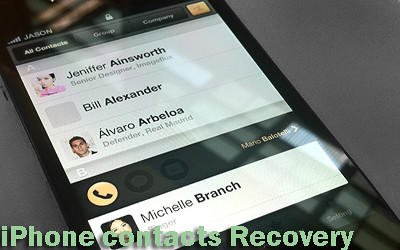
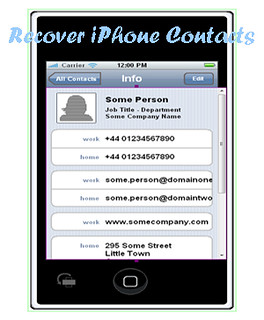
recover iPhone contacts

Solution 1 Recover iPhone Contacts from iPhone Directly

If you lost your iPhone contacts without backup and have your iPhone in hands, you can use this way to regain your contacts.
Step 1. Connect your iPhone to the computer via the provided USB cable and run the iPhone Data Recovery.
Step 2. Enter your iPhone into DFU mode and start scanning
1. Hold your iPhone and click "Start" button.
2. Pressing "Power" and "Home" buttons simultaneously for 10 seconds.
3. After 10 seconds, release "Power" button, but keep holding "Home" for another 10 seconds until you get the message of successfully entering.
Then the software will automatically scan your iPhone for the lost contacts and other data.
Step 3. After the scan, choose "Contacts" to preview, check the ones you want to get back and hit on "Recover", you can save all the lost contacts on your computer with one click.

Solution 2 Perform iPhone Contacts Recovery with iTunes Backup

If you just have your iPhone lost or stolen, this way can still help you find the contacts back on your computer.
Step A: Download, install and launch the software, it shows backup files of your devices that you have ever synced before. Choose the one on which you lost your contacts, and begin to "Start Scan" to continue.
Step B: A few seconds of scanning, all the contents extracting from the backup file will be displayed in details. You can read the content one by one, select the contacts you want to recover and tap "Recover" button. Then you can save the lost deleted contacts on your computer.


Two methods above come into being through my practiced for some time. In the two practical ways, always one can help you to recover iPhone contacts.

Monday, March 11, 2013

Tips and Trick to Restore iPhone 4s Data Instantly

There is no more frustrating thing than losing your personal data on your iPhone that is important. Data loss on iPhone happens to us and it makes us questioning about how to restore iPhone 4s data. Here is a good news that you can get your pictures back that have been accidentally deleted or lost. And restoring iPhone data after deleted or lost can be done pretty easily with the right tools.

At first, you have to make sure whether you have ever backed up the photos you took on iTunes or iCloud. If yes, then you should be able to restore them after they were deleted or lost instantly by using "restore from backup" function on your phone. On the other hand if you are like most other iPhone users who do not regularly backup their data, then don't worry you can recover most types of deleted or lost files from iPhone as well.

How can You Restore iPhone 4s Data after Deleted or Lost Them?
Most of you may not know that your iPhone does automatically backup all your data every time you sync data between your iPhone and iTunes and stores it as a .sqlitedb file. So you can recover data without even having access to your iPhone, this is good for users who've lost or broken their phone. However this file cannot be accessed or viewed unless you have some special algorithms to extract it, again this is where 3rd party software, which are specifically designed to help with your iphone data recovery needs come to your rescue.

recover photos from iPhone

Effective Way To Restore iPhone 4s Data after File Deletion or Data Loss
To get your personal data back, I would like to recommend you use a professional 3rd party iPhone data recovery software. The software recommended is Tenorshare iPhone Data recovery, it offers a free trial version for download which allows you to check out and recoverdata from iPhone in minutes. It is able to retrieve your deleted or lost files including photos, contacts, music and videos, call history, text messages and SMS attachments, notes, calendars, recordings, reminders, or even Safari bookmarks. It is compatable to recover data from iPhoen 5, 4s, 4 and 3gs. BTW, you can download it from here: http://www.any-data-recovery.com/product/iphone-data-recovery.html

How to Restore iPhone 4s Deleted Data on Macs or Computers Easily?
Step 1. Connect your iPhone to a computer after installing the iphone data recovery software tool. The software will automatically detect it and will show the list of backup for the iPhone. Choose the one for your phone and click on "Start Scan".
Step 2. Choose the files you want to get back and click on "Recover" button
Step 3. A window will pop up, you can preview your photos, files one by one to check whether it works.
Step 4. Set a location for your recovered data to be stored in.

So if you are just in trouble of photo loss on your iPhone, find a right tool to help you restore iPhone 4s from backup on your computer quickly and easily. It is an absolute necessity to have such a iphone data recovery software on hand to prevent accident and disaster happens that may lead to photo loss.

Related Source from
Simple Steps to Recover Deleted Photos from iPhone by Yourself 

Sunday, February 17, 2013

iTunes Data Recovery-Recover Data from iPhone,iPad and iPod in Minutes

* Lost your iPhone 4, iPad mini or iPod Touch? Or your iPhone 5, iPad 4 and iPod were stolen or broken badly that won't work again but you want to get all your pictures, SMS, contacts back?
* Accidentally deleted some important files off your iPad 3, iPhone 4s or iPod Touch 4 but want to undelete them?

Such awful things happen a lot to iPhone, iPad and iPod users. You might heard of the concept that if there isn't a backup made through iTunes or even iCloud, no one is able to recover your dropped or deleted personal information once removed them off your iDevices or your devices are lost, broken or taken? Leave such a concept alone! Even if you don't have any backup for your files, you can retrieve them when you have synced all of them with iTunes on a computer.

First thing to make it clear, it's correct that if you have made a backup for all your iPhone, ipad tablet and iPod data on iTunes and also iCloud, you'll be able to restore in the backup to retrieve your documents once they are unintentionally deleted or perhaps lost in some way. It functions just just like System Recover on your Windows operating system or Time Machine for Mac operating system.

iTunes data recovery
Unfortunately, there is little things you can do to retrieve your lost or deleted files without some specific recovery software if your have no backup for your important stuff.

In fact, iTunes usually generates a backup for your iPhone, iPad or iPod that has been synced with it on a computer, easier for late restore when there is a such need. However, those backup files are not allowed to access or preview. It's to say, you can't directly take any data out of iTunes backup files. But there are still some tricks to extract the backup files. That's what iTunes data recovery software is designed for, which use advanced algorithms to extract contents from the backup files and restore data from iPhone, iPad and iPod. Here I would like to share with you a professional and effective iTunes data recovery software that actually works.

Tenorshare iTunes Data Recovery - Software to Extract iPhone, iPad and iPod Data from iTunes Backup File and Recover iPhone, iPad, iPod Data
This iTunes data recovery software can recover pictures, text messages, call history, video memos, notes, calendars, even Safari bookmarks. It can help you restore previous data by extracting iTunes backup in seconds.

This software enables you to recover all iTunes files, including those synced from iPad, iPhone and iPod, extract all your backed-up photos, videos and music files and recover contacts and SMS messages, and recover non-media files like notes, calendars and call records. It is not necessary to have your iPad, iPhone or iPod connected to the computer to recover data because it simply finds the iTunes backup of your previously synced iOS devices and extracts it in a few mouse clicks.
You can get it from http://goo.gl/CbhZZ
Powerful Features for iTunes Data Recovery Software
* Run without opening iTunes or connecting your iPhone, iPad and iPod
* iTunes backup files of iDevices will be automatically found and listed
* Check photos in camera roll and photo stream
* Preview contacts in details, pictures in original quality
* Easy to retrieve all files with zero quality loss
* Preview and check files in category

With only a few easy steps, you can extract your iTunes backups & recover all your lost or deleted personal data by using iTunes data recovery software on a computer.
Step 1. Download the program and install it on the computer you synced your iOS devices before. Open the program to get started data recovery for iTunes.
Step 2. Highlight a device by clicking it and then click "Start Scan" to extract the content on the backup file.
Step 3. Preview thumbnails of all found photos, files previously synced to iTunes from your iPhone, iPad and iPod.
Step 4. Click on "Recover"to fully restore your files.

You may choose the right iTunes data recovery software to perform iPhone, iPad and iPod data recovery with ease according to your own needs. Get your data back in minutes!

Source from
iTunes Data Recovery Software - Help You Recover iPhone, iPad and iPod Files

Friday, February 1, 2013

How can I Recover Deleted Pictures from iPad 3?

Can I recover deleted photos from iPad 3?
My sister accidently deleted almost all of our family pictures that we had on the iPad 3. These pictures have been synced but have no backup on iTunes or iCloud, and are very important! Is there an app that could help me recover these pictures? About 300 photos have been deleted. ANY way to recover these photos would be gratifying.

-- Olive Asked in Yahoo.Answers

You may lose pictures you took with your iPad either by accidently deletion(probably deleted them and clean the trash), or photo loss due to iPad factory restore. Are you look ways to get deleted pictures back from iPad 3? If yes, then you have came to the right place!
recovering iPad pictures
I would like to share with you two easy ways to recover deleted pictures from iPad 3 or retrieve pictures lost due to iPad 2 factory restore.
Way One: Restoring from the Backup via iTunes

Firstly, be sure that the computer is the one that you have made a backup for your pictures on the iPad 3. Secondly, open iTunes and right-click (or control-click) the iPad 3 under device management and choose "Restore from Backup" option. By the way, if you have a new iPad, you can connect to iTunes and you will be prompted to restore from the backup, too.
This way is an Apple's official solution. If that worked, you have no need for the second option. If not, please go head.

Way Two: Recovering from the Backup File on Your Computer by iPad Data Recovery Tools
If you have no backup for data and files you deleted or lost on an iPad, I'm afraid you have to pay for a third-party iPad data recovery tool to get them back.

Though iPad devices and the other Apple products like iPhone and iPod use quite a different storage mechanism unlike any other smartphone, which have external Micro SD card to save files like photos, videos and songs, still you are able to retrieve deleted or lost data and files with a third party specific iPad data recovery tool on the computer (which you normally sync with) without iTunes and even without the iPad itself. Thus, what you need to do is to lauch an iPad data recovery tool to get back all of your deleted or lost pictures easily.

Here I recommend you one professional one: Tenorshare iTunes Data Recovery (Download it from http://www.any-data-recovery.com/product/itunes-data-recovery.htm). By using recovery software, you can recover deleted pictures from iPad 3 from the backup file on computer or from iPad itself in several easy steps.

Step 1: Once you run the iPad data recovery tool you get two options, choose "Recover from Backup" to being a new process that will help you get deleted pictures back from iPad 3.
Step 2: The next screen will display an iDevice backup file options that you need to choose from. Since you need to recover deleted pictures from iPad 3, you need to choose theone for your iPad 3. Then click on "Start Scan". It scans the iPad memory for photos you accidentally deleted or lost.
Step 3: All your photos, lost files will be displayed in front of your eyes. You can preview your pictures and files to choose the ones you need to get back. And click "Recover" button.
Step 4: The next screen will prompt you to choose a drive; this is where the iPad data recovery tool will store the retrieved photos.

Is the iPad data recovery tool safe and easy to use?
Although there are several recovery tools available, this iPad data recovery tool is the best tool that I could ever found. The graphical interface makes it easy to use and very simple to understand.That's all for how to recover iPad pictures after accidentally deleted or loss due to iPad restore.

Monday, January 21, 2013

Several Possibilities for iPhone 6

Do you expect to gen an iPhone 6? What do you expect iPhone 6 to be? How much budget have you been planning to get an iPhone 6? More and more people pay attentions for the iPhone 6 along with more and more rumors came out.

About the Outside Look: Will iPhone 6 Have a Bigger Display lIke 4.8-inch?
Yesterday, it was told that Apple planed to release a 4.8-inch new iPhone - "iPhone Math", which also called iPhone 6, but might this be considered a hint? Based on some rumors, it is also said that Apple is going to launch iPhone 5S within June or July along with a cheaper new version iPhone-iPhone 6 in September, 2013.

Commercial Times claims that Apple intends to make iPhone 6 equipped with a 4.8-inch display and name it "iPhone Math". It also mentioned that Apple is already booking components from suppliers for the iPhone 6.

What do you consider about this rumor? iPhone Math is iPhone 6? How does it make sense? iPhone mini or nano makes sense as a name for the new iPhone; as does iPhone Pro, however why named it iPhone Math? It makes no sense at all. Anyway, I cannot believe that Apple will release iPhone 6 with a unattractive name as iPhone Math.

As for the 4.8-inch display rumor, a few argues which Apple does not usually adhere to what additional firms perform: even although larger display smartphones are becoming more and more popular, it doesn't mean Apple follows the pattern.

If iPhone 6 upgrades to a 4.8-inch display, it requires developers to tweak their apps for the new screen size.
Low Price for iPhone 6: Should Apple launch a cheap iPhone?
What would a low cost iPhone look like? Who would buy it? How low is a low price for an iPhone? Is it time for a cheaper addition to the iPhone family?

For years, Apple has been told iPhone was too expensive and many people wanted to get a low-cost iPhone. Will history repeat itself? Or will Apple hit the smartphone wars by altering its strategy?

A low-cost iPhone is hardly impossible. Let's take a look at Apple product's selling situation. Til September 2012, MacBook became the No 1 selling notebook in the US. Couple that with the success of iPad, to say nothing of iPhone 5's selling. Therefore, by analogy, there will be no low-cost iPhone 6. You'd better learn that Apple doesn't do cheap. It will focus on a premium customer experience and enjoy a high-profit margin. A low-cost iPhone is not coming out so fast.

iPhone 6's Release Date: When is it?
As we all know that, Apple company only launchs an iPhone per year, so does iPad. It is worth pointing out that the launch of the new iPad afer the release of the iPad mini last year. iPad mini launched just 6 months after the release of "the new iPad" earlier in 2012.

This implies that Apple company has no problem speeding up the release agenda for its item no matter iPad or even iPhone. Therefore, it is sensible that the rumor stated Apple would lauch a good iPhone 5S within June or July and an apple iphone 6 in September within 2013.

In the world of rumors, there is no truth. While it currently appears possible Apple company might uncover an apple iphone 5S this season, that possibility isn't true until it really reveals something.

Small Tip for Those Who Have an iPhone:
Do you already have an iPhone? Have you experienced data loss on your iPhone? Did you accidentally deleted some text messages, photos or contacts on your phone and being anxious to recover them? After upgrade your phone to iOS 6, maybe you lost all your important contacts, notes, SMS and photos with no backup on iTunes or iCloud, can you restrieve the missing stuff? Somehow you have to restore your phone into factory settings and all of your contents were erased, is there any way to recover data from iPhone after factory restore?

Definitely, you can! iPhone data recovery software fits your need to recover iPhone data after you deleted or even lost your data such as contacts, photos, SMS messages, notes, call logs, as well as voice memos. It can recover data from iPhone 5, iPhone 4S, apple iphone 4, and iPhone 3GS.

Check out this tutorial for iPhone data recovery: http://goo.gl/pZDZp

Resource from
Latest Rumors for Apple iPhone 6

Saturday, December 29, 2012

iPad 4 Data Recovery - How to Recover Deleted Data from iPad 4 Device?

As we all know, the iPad is not only a mobile phone but also a compact computer. It is thought as a device that is united mobile phone and computer. What a amazing gadget to enjoy both advanced technologies together!

You can not only listen to the music you collecteds, watch movies you are interested in, but also make video calls for your families or friends abroad, since now it's works like computers and mobile phones. What's more important is that you can carry it all around which means at the same time, you can carry your business data and entertainment bit around with you all of the time anywhere as you like. Now when we talk about storing data, there is also a chance of losing data. No matter how fast information technology develops, there is always a chance that you could lose your personal or business data no matter due to disaster and accident.

ipad data recovery

People often accidently delete data without even thinking a second. This often leaves us in testy waters, especially when you did not intend deleting important personal or business data. You probably had a very rare movie or music video downloaded courtesy a friend and if you happen to accidently delete it, you feel like you’ve lost your soul. Data loss is something that no one looks forward to. However if you happen to suffer from such situations then there is absolutely no need to worry.

As long as technology develops, you can now recover deleted iPad photos , also recover deleted iPad contacts, videos, music files, etc with the iPad data recovery software. Here I recommended you one outstanding.

Tenorshare iTunes Data Recovery is an excellent high end iPad data recovery tool, with an equally great interface that is simple-designed and easy to use. Data recovery for iPad can be done in jiffy, which means no wasting time at all, which you would have if taken it to Apple store's specialists who would have also charged you for doing something the iPad data recovery software is a pro at. This professional recovery software enables you to recover data like photos, videos, music files and so on you accident deleted or lost due to factory restore from iPad 4, iPad mini, iPad 3 and iPad 2 with a few mouse clicks.

How to recover iPad Data from iTunes backup by using iPad 4 Data Recovery Software?
Step 1: Scan the backup for your iPad on your Computer
Download the iPad 2 data recovery program from it's official website (http://www.any-data-recovery.com/product/itunes-data-recovery.htm) and launch it. Choose the backup file with your device name.
iPad Data Recovery step 1

Step 2: Choose the files you want to get back and start recovery
It allows you to preview the entire list of the files. Choose the category of Photos, Videos, Music and recover them.
iPad Data Recovery step 2

Step 3: Set a target folder to save your recovered files
You can choose anywhere for your files on your computer.
iPad Data Recovery step 3

Here I recommended you a short video shot on Youtube for you.

Resource from iPad Data Recovery: http://www.any-data-recovery.com/topics/mobile-devices/ipad-recovery.html  

Friday, December 14, 2012

FLV Recovery - How to Recover Deleted FLV Files on My Computer?

Hi everyone, I have deleted some flv files on my Mac computer. I didn't meat to deleted them permanently! Is there any way I can recover deleted flv files back to my PC?

Nowaday, video is one of the most important media tool for entertainment and to share information. Among all the video files used, the most prevalent is Flash Video files. FLV (Flash Video files) are being used largely over the Internet to watch videos online. When these video files get corrupted due to system failure, fault in storage media, virus infection, or user’s mistake leads to deletion of the files. So, to get back the flash videos, you need to use FLV Recovery Software which is the most appropriate option. The reason for the loss can be accidental deletion, wrong drive formating, and system problems etc. But when the videos are deleted no need to worry at all. It can be recovered under the help with FLV Recovery Software. Tenorshare Data Recovery Professional is one of the famous. It is included with remarkable features that allow you to regain complete videos. It supports many video file formats such as MOV, MPEG, MP3, WAV along with FLV video files. You can get it from http://www.any-data-recovery.com/product/datarecoveryprofessional.htm
More powerful features of this FLV recovery software:
* Supports deleted files recovery from mobile phone, digital cameras, USB flash drive, external hard drive and also computer itself
* Makes use of special algorithms to search for the flv files that you deleted or lost and consequently recovers them.
* Ensures complete and safe flv file recovery
* Friendly Interface helps in better and quick usage

The above features states that the FLV Recovery Software is competent enough to recover the flash videos effectively and instantly by clicking on only few options and your videos get recovered and restored on to your system.

How to perform Flv file recovery on computer?
1. Download and install the FLV Recovery Software
2. Open the application to recover FLV files
3. Click on the "Scan" tab to search for the FLV video files
4. After the scanning process is completed, all your lost or deleted FLV videos will be in front of your eyes. Select the ones you want to get back.
5. Then click on "Recover" which begins the data recovery process.
6. Finally, click "Save" to get them back to your PC. And then you can check whether your videos are in good condition.

Now, you have learned how to recover FLV files after you lost or deleted them. Hope this helps a bit!